


Woodsense: Wood Plans & Guides
4.427.00 Reviews
App Specs
- Version
- 1.0.0
- Updated On
- License
- Free
- Downloads
- 100,000+
- Developer
- Next Vision Limited
- Categories
- Books & Reference
- Platform
- Android
Screenshots
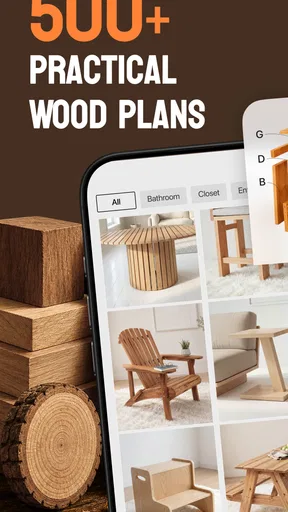
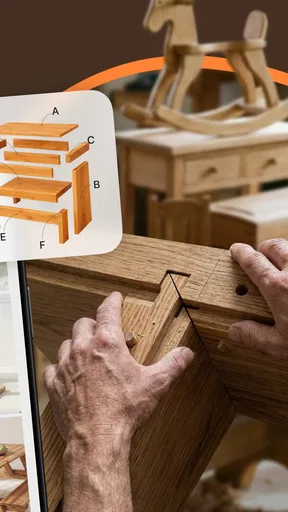
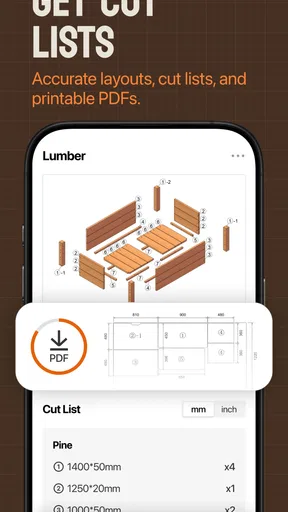
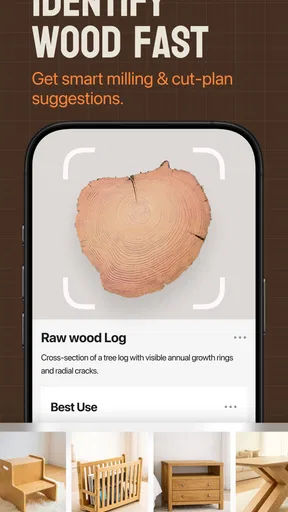

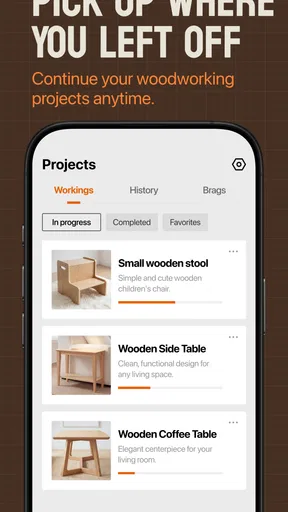
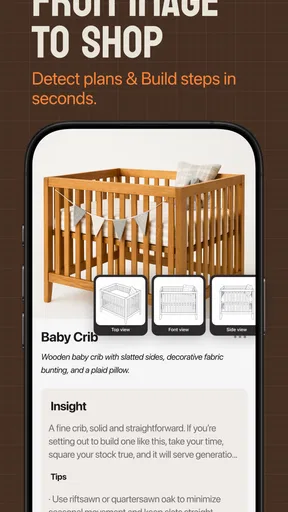
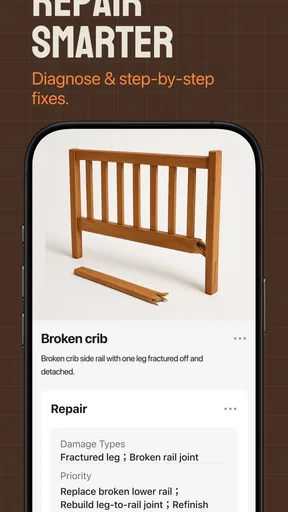
 Analysis by AppCompare
When I’m identifying a piece of wood or trying to work out the next step in a small project, I want advice I can use with dusty hands and limited time—not a long search through unrelated pages. Woodsense is aimed at that practical corner of the Books & Reference category, bringing wood identification and project guidance together in one app. Its focus makes sense for home repairs, backyard builds, and workshop jobs, though how useful it feels in the moment depends partly on having a dependable connection.
Developed by Next Vision Limited, Woodsense is free to download, with in-app purchases listed at $39.99 per item. It has a 4.4 average from around 900 ratings and over 100,000 installs, which suggests that plenty of people have tried it, but those figures don’t tell me whether its particular guidance suits a beginner or a seasoned woodworker. I’d treat it as a handy reference to consult alongside careful measuring and judgment, not as a substitute for either.
Useful guidance starts with the right moment
Before I rely on any mobile reference during a build, I like to decide what kind of help I actually need: a visual demonstration, a material clue, or exact measurements. That distinction makes it easier to use the guidance as a prompt for good decisions rather than a replacement for planning. From there, the next question is where and when a network connection becomes part of the workflow.
What the app is trying to help you do
The appeal is the combination of two related tasks: recognizing wood and following project instructions. That pairing can be more useful than it first sounds. When choosing material, a wood reference may help you narrow down what you’re looking at; when you’re ready to build, instructional videos can help turn a vague plan into a sequence of actions. I like that the app’s subject is specific rather than trying to be a general home-improvement encyclopedia.
That focus also sets expectations. Woodsense is most promising when a project involves wood and you want a visual explanation, a quick reference, or a starting point for deciding what to do next. If you need structural engineering advice, a precise cut list for a custom design, or a comprehensive professional woodworking course, I wouldn’t assume a focused reference app can cover all of that. For safety-critical decisions, especially anything load-bearing, I’d verify the details with a qualified source.
When a network connection becomes part of the job
Video guidance is especially helpful when a written instruction leaves room for interpretation: how a tool is held, how parts line up, or what a finished step should look like. The trade-off is that video is less convenient than a short text note when the signal is weak or data is limited. I’d open the relevant guidance before heading out to a shed, garden, or site where connectivity may be patchy, and check that it is actually available to view before relying on it.
This is a practical habit, not a guarantee that content will remain accessible without a connection. If I’m planning a project somewhere with unreliable service, I’d keep my essential dimensions and material choices in a separate note rather than trusting that I can retrieve every reference at the workbench. That small bit of preparation avoids turning a stalled connection into a stalled build.
Worth Reading Before You Choose

Baby Panda World Brings Quick Play to Modern Phones, but Its Game Library Feels Busy

ESPN’s Live Game View Makes Following Close Games Easier

QuizzLand Review: A Good Fit for Short Trivia Breaks, Not Every Player

Basketball Stars: Multiplayer Is Fast, but Can It Recover When Matches Go Wrong?

WEBTOON Turns Phone Updates Into a Better Reading Routine

Link to Windows Runs on Shared Habits, Not Social Feeds
Using it at home, in the yard, and at the bench
On a phone, a video can be easier to consult than a large book when I’m standing beside a project. A realistic use would be checking a joinery step in the garage, then putting the phone somewhere clean and visible before handling tools. In a backyard, I might use the wood-identification angle while comparing boards for a planter or repair, then return to the project guidance once I know what material I have.
There is a small but important workflow trade-off here: a phone is portable, but it is also easy to smudge, splash, or knock off a work surface. I’d pause the video at a useful point and review the next action before picking up a tool, rather than trying to operate the screen with gloves or while holding a board. For longer sessions, a stable stand or a second device can make viewing more comfortable, though that is simply a practical setup choice rather than an app feature.
Woodsense is less compelling if you mainly want searchable written plans, printable diagrams, or a detailed materials list to take shopping. Those are common strengths of woodworking books and dedicated plan libraries. A video-first reference is better for seeing motion and sequence; a book or carefully organized project notebook can be better for exact measurements and repeated checking. I’d use the format that matches the question rather than expecting one app to replace every workshop resource.
Recovering when a video or reference won’t load
Connectivity can fail at the least convenient time: just as you’re ready to make a cut, or while you’re comparing a board outdoors. If a video doesn’t load, I’d first check whether the phone has a usable connection, then retry before changing the project. It is worth noting the step you were trying to follow and the key dimensions while the reference is available, so you can continue safely if the screen stops being useful.
I also wouldn’t make a cut based only on a half-loaded clip or a quick visual impression. If the instruction is unclear, stop and look for a reliable explanation rather than improvising around a tool. That caution matters more than convenience: a short delay is preferable to damaging material or risking an injury. When the connection returns, reviewing the full sequence from the beginning can help restore context instead of relying on a fragment.
Keeping mobile use considerate of data and attention
Because the app includes videos, I’d be mindful of mobile data if I’m away from Wi-Fi. A sensible routine is to browse and plan while connected to a trusted network, then use mobile data only when a particular instruction is worth checking. I wouldn’t assume that videos are stored on the device or that playback uses a particular amount of data; those details can vary, so anyone with a tight data allowance should pay attention to their own phone’s usage information.
Battery and screen time matter too. Watching a sequence repeatedly while working can drain a phone faster than glancing at a written checklist, and a bright screen can be awkward in direct sun. I’d use the video to understand the technique, then switch to a brief written reminder of the next steps where possible. That keeps the phone from becoming the center of the project and lets me focus on the material and tools.
Who will get the most from it
I can see Woodsense being useful for curious beginners who want visual help with basic wood projects, homeowners tackling small repairs, and hobbyists who need an occasional reference rather than a full design system. It may also help someone who learns better by watching a process than by reading a page of instructions. Since the app is rated for Everyone, its content rating is broad, but that doesn’t mean every woodworking task is suitable for every age or skill level; supervision and tool safety still matter.
Experienced woodworkers may find the subject familiar and prefer a specialist reference with deeper technical detail, exact plans, or a searchable species database. Likewise, people who work mostly offline or have very limited mobile data should be cautious about making video guidance central to their workflow. For them, a printed guide or downloaded project notes—where available from another source—may be more dependable at the point of use.
Version, cost, and a sensible way to try it
The current version is 1.0.0, and the app is listed for devices running Android 9 or later. It is free to install, but in-app purchases are listed at $39.99 per item, so I’d look carefully at what is included before paying for anything. I would start by checking whether the wood reference and project guidance match the kind of work I actually do, then decide whether any paid item offers enough practical value for my own projects.
That price point makes it especially important to judge the app by usefulness rather than by the promise of having a large library at hand. If a paid item covers a project you genuinely intend to build and explains it clearly, it could be worthwhile; if you only need occasional advice, free references or a borrowed woodworking book may be better value. I’d avoid buying on impulse in the middle of a job, when a missing instruction can make any available option feel more urgent than it really is.
My connectivity verdict
Woodsense makes the most sense as a portable companion for wood-focused questions, especially when you can prepare before getting to the workbench. Its combination of identification and step-by-step video guidance gives it a more practical angle than a general reference app, while the video format naturally makes a stable connection more relevant than it would be for a plain text handbook. My best tip is to identify the next decision you need help with, open the relevant material before starting, and keep measurements or safety-critical notes somewhere you can consult independently.
Woodsense is worth a look if you want visual guidance for modest home, backyard, or workshop projects and are comfortable treating an app as one reference among several. I’d skip it if your priority is offline-first access, highly detailed professional plans, or a complete substitute for hands-on instruction. Used with realistic expectations—and with sensible preparation for weak connectivity—it could save time on the right task without pretending to make every woodworking decision for you.
A useful way to plan a small project
For a weekend repair, I’d use the app before buying materials rather than treating it as a last-minute rescue tool. I might first look at the board I already have, use the identification material to frame what questions to ask, and then compare the project guidance with the actual dimensions of the repair. That order matters: a video can clarify a technique, but it cannot make an undersized or unsuitable piece of wood fit a job it was never right for.
I’d also write down the decisions that are specific to my project—measurements, fastener choices, and which pieces need cutting—rather than trying to remember them from a video. This makes the app more useful as a visual teacher and less like a substitute for planning. It is a small distinction, but it helps prevent a common beginner mistake: copying the movement shown while overlooking that the example material or dimensions may differ from what is on the bench.
Where it fits among other references
Compared with searching for individual clips online, a focused wood reference has the potential advantage of keeping the subject matter closer to the task at hand. The drawback is that any single app may not answer every question or provide the exact plan a particular build needs. I’d use general search when I need a second explanation or a highly specific design, and keep Woodsense in the role of a convenient first stop for wood-related guidance.
Compared with a printed woodworking book, the visual sequence can be easier to follow when technique is the sticking point, while a book is often simpler to consult repeatedly for measurements without replaying material. Neither format wins in every setting. If I were learning a new tool operation, I’d want more than a quick clip; if I were trying to understand a straightforward sequence, a video could make the idea click faster than a block of text.
Choosing it for the right kind of learner
The strongest fit is someone who already has a modest task in mind and wants a visual nudge, not someone expecting the app to design an entire workshop project from scratch. A beginner can use it to build confidence around basic steps, but should still ask an experienced person when tool handling, material condition, or load-bearing use is uncertain. A confident hobbyist may find it useful for quick orientation, then turn to a more detailed plan when accuracy matters.
I’d pass if I needed a dependable reference in a place where the phone rarely connects, or if the main requirement were a complete, dimensioned plan that can be printed and marked up. I’d also be cautious about paying for an item before knowing whether its subject matches a real project I’m about to undertake. In those cases, a library book, a specialist plan source, or in-person advice may be a better fit than a video-centered mobile reference.
Overall, Woodsense is most useful when I treat it as a visual companion to careful preparation: check the material, understand the sequence, note the measurements, and put the phone aside when tools are in use. That approach makes room for its practical strengths without asking it to solve questions that belong to a detailed plan or a skilled instructor. If that is the kind of support you want, it is a reasonable app to try; if your work depends on offline access or exact technical documentation, I’d choose a more specialized resource.
Pros
- Includes step-by-step guidance for a range of woodworking projects.
- Useful for finding ideas for both beginner and experienced woodworkers.
- Woodworking plans can help organize materials and project steps.
- Covers practical builds that can be useful around the home.
- A handy reference to browse when planning your next woodworking project.
Cons
- Plans may require tools or materials that beginners do not already own.
- Some projects can take substantial time and workspace to complete.
- Measurements and instructions may need adapting to your available materials.
- The app’s usefulness depends on the range and detail of its included plans.
- Woodworking still requires careful tool handling and safety precautions.
FAQs for Woodsense: Wood Plans & Guides
What is Woodsense: Wood Plans & Guides?
Woodsense: Wood Plans & Guides is an app intended to help woodworking enthusiasts find project ideas and practical guidance. Depending on the content available in your version, you may find plans, instructions, materials information, or tips for working with wood. It is best viewed as a source of reference and inspiration rather than a substitute for careful measuring, hands-on experience, or advice from a qualified professional.
Is Woodsense suitable for beginners?
The app may be useful for beginners who want to explore woodworking projects and learn the steps involved, but suitability depends on the complexity and detail of each guide. Before starting a project, check that its instructions explain the tools, materials, measurements, and safety considerations you need. New woodworkers should begin with a straightforward project and seek experienced help when using unfamiliar equipment.
Does Woodsense provide complete plans, measurements, and materials lists?
The level of detail can vary from one plan or guide to another. Some entries may provide useful project instructions or material suggestions, while others may serve mainly as inspiration. Read the full guide before buying supplies or cutting wood, and confirm measurements and quantities yourself. If a plan leaves important details unclear, use a more complete set of instructions before proceeding.
Can I use Woodsense offline, and does it require an account?
Offline access and account requirements depend on the app’s current version and how its content is delivered. Some features or plans may require an internet connection, and particular content could be restricted behind sign-in or in-app purchases. Check the app-store listing and the app’s settings before relying on it at a workshop with limited connectivity, especially if you need to consult a guide while working.
Is Woodsense free, and what should I check before downloading it?
The app may be free to install while offering paid features, subscriptions, or purchases, so review its store listing for current pricing and payment terms. Also check device compatibility, recent updates, permissions, and the developer’s privacy information. Woodworking involves sharp tools and other hazards, so treat any app guidance as a reference and follow appropriate safety practices and equipment instructions.


